
Epson Home Cinema 2350
1080p2,800 ISOHome Cinema26ms1.32–2.15 throw
Best for: Home Cinema + Living Room|4K PRO-UHD pixel shift · HDR10 · Android TV
Room fit
Check fitDeal score
New price data
£789.49
List: £850.00
7% OFF
A home cinema projector is one you install rather than carry, in a room you can darken, aimed at a fixed screen. That changes what matters. Raw brightness counts for less once the lights are off, and contrast, colour and the flexibility to place the projector where the ceiling joists allow count for more. Lens shift is worth looking for: it lets you move the image without tilting the projector, which keeps the geometry clean. Before you choose, measure the distance from where the projector will sit to the wall, because that single number rules out more projectors than any other requirement.
Tell us your screen size, how far back the projector sits and how much light the room gets, and every row here shows whether it fits. Open the room finder
27 projectors
Best for: Home Cinema + Living Room|4K PRO-UHD pixel shift · HDR10 · Android TV
Room fit
Check fitDeal score
New price data
£789.49
List: £850.00
7% OFF

Best for: Home Cinema + Outdoor|Native 4K · Google TV
Room fit
Check fitDeal score
New price data
£679.15
List: £799.00
15% OFF

Best for: Home Cinema + Living Room
Room fit
Check fitDeal score
New price data
£469.00
List: £679.99
31% OFF
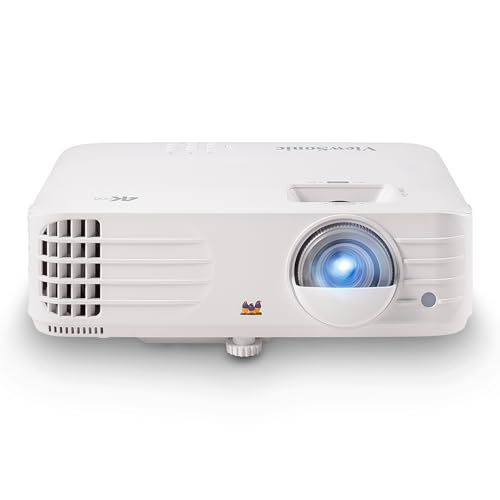
Best for: Home Cinema + Gaming|Native 4K
Room fit
Check fitDeal score
New price data
£776.99
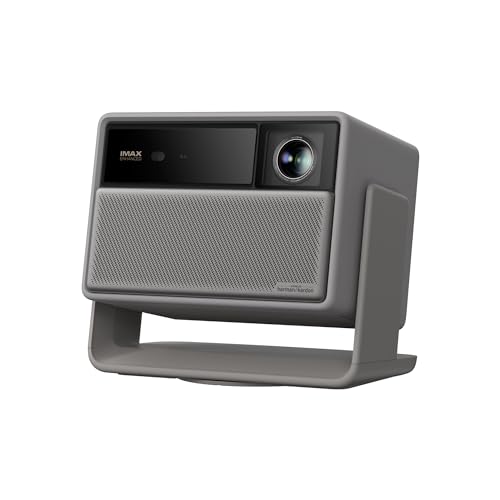
Best for: Home Cinema + Gaming|4K UHD pixel shift · Dolby Vision · Google TV
Room fit
Check fitDeal score
New price data
£1,499.00

Best for: Home Cinema + Outdoor|Native 4K · Android TV
Room fit
Check fitDeal score
New price data
£949.00
List: £999.00
5% OFF

Best for: Home Cinema + Gaming|Native 4K · Android TV
Room fit
Check fitDeal score
New price data
£1,338.09

Best for: Home Cinema + Gaming|4K UHD pixel shift · HDR10 · eARC · Android TV
Room fit
Check fitDeal score
New price data
£1,653.80
List: £1,794.00
8% OFF

Best for: Home Cinema + Gaming|Native 4K · Android TV
Room fit
Check fitDeal score
New price data
£1,533.99
List: £1,599.00
4% OFF

Best for: Home Cinema + Gaming|4K UHD pixel shift · HDR10 · eARC · Android TV
Room fit
Check fitDeal score
New price data
£2,020.27
List: £2,099.00
4% OFF

Best for: Home Cinema + Gaming|4K UHD pixel shift · Google TV
Room fit
Check fitDeal score
New price data
£2,159.00
List: £2,599.00
17% OFF

Best for: Home Cinema + Living Room|4K UHD pixel shift · Android TV
Room fit
Check fitDeal score
New price data
£1,462.77

Best for: Home Cinema + Living Room|Native 4K
Room fit
Check fitDeal score
New price data
£1,599.00
List: £1,799.00
11% OFF

Best for: Home Cinema + Living Room|4K UHD pixel shift
Room fit
Check fitDeal score
New price data
£1,508.99

Best for: Home Cinema + Outdoor|4K UHD pixel shift · Android TV
Room fit
Check fitDeal score
New price data
£1,445.99

Room fit
Check fitDeal score
New price data
£1,460.00

Best for: Home Cinema + Outdoor|Native 4K · Android TV
Room fit
Check fitDeal score
New price data
£1,759.00
List: £2,459.00
28% OFF

Best for: Home Cinema + Living Room|4K UHD pixel shift · webOS
Room fit
Check fitDeal score
New price data
£1,718.99

Best for: Home Cinema + Living Room|Native 4K
Room fit
Check fitDeal score
New price data
£1,699.00

Best for: Home Cinema + Gaming|Native 4K · Android TV
Room fit
Check fitDeal score
New price data
£2,382.43

Room fit
Check fitDeal score
New price data
£2,129.79
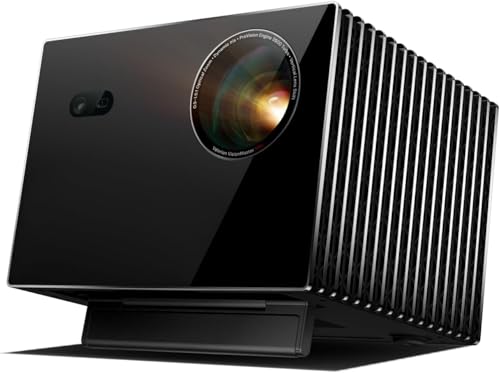
Best for: Home Cinema + Gaming|Native 4K
Room fit
Check fitDeal score
New price data
£2,819.00

Best for: Home Cinema + Living Room|4K UHD pixel shift · Dolby Vision · eARC · Google TV
Room fit
Check fitDeal score
New price data
£3,333.14

Best for: Home Cinema + Outdoor|4K UHD pixel shift · eARC · Google TV
Room fit
Check fitDeal score
New price data
£2,999.00

Best for: Home Cinema + Living Room|4K UHD pixel shift · Tizen
Room fit
Check fitDeal score
New price data
£3,499.00

Best for: Home Cinema + Outdoor|Native 4K
Room fit
Check fitDeal score
New price data
£1,904.18

Best for: Home Cinema + Living Room|Native 4K
Room fit
Check fitDeal score
New price data
£1,072.90
List: £1,149.00
7% OFF
27 of 27
Darker is better, and the difference is larger than most people expect. Black levels and colour saturation both depend on no stray light hitting the screen. If you cannot fully darken the room, say so in the room finder and the brightness check will raise the bar accordingly rather than pretending the room is a cinema.
Multiply your screen width, not its diagonal, by the projector's throw ratio. A 120 inch 16:9 screen is 2.66 metres wide, so a projector with a 1.3 ratio needs about 3.45 metres. Every product page here prints that table for 80, 100, 120 and 150 inches so you do not have to do the arithmetic.
If the projector cannot sit exactly where the screen centre line wants it, yes. Lens shift moves the image optically with no loss of sharpness. The alternative, keystone correction, fixes the shape electronically and throws away pixels to do it. We record lens shift where the maker publishes it.
Think about it at the same time even if you buy later, because screen type and projector choice interact. A dark room suits a plain matte white screen. A room with light in it benefits from a screen that rejects light coming from the sides. Choosing the projector first and the screen as an afterthought is how people end up disappointed.